
To keep patient texts off personal phones, start with a clear boundary: patient-related conversations belong in a clinic-approved communication channel, not an employee’s personal messaging app. The right approach includes more than choosing an app. Staff need to know where messages go, who responds, how urgent concerns are escalated, and what information belongs in the medical record.
A practical policy can reduce privacy risks while protecting staff from having their personal numbers become an informal clinic help line. It should fit the practice’s services, technology, and applicable privacy obligations.
Set a clear rule for personal phones
Decide whether staff may use personal devices for any work messaging. A straightforward policy is to prohibit patient-related messages through native personal SMS and personal messaging apps. Direct patients to an approved clinic channel instead.
If the practice permits staff to use personal devices for work, limit that use to an approved, controlled application and document the safeguards. A bring-your-own-device approach needs clear requirements for access, device security, work account separation, and what happens when a staff member changes roles or leaves. NIST’s BYOD security guide can help practices think through risks and controls.
Do not treat an app’s marketing label as proof that it is suitable for the practice. Assess the full workflow, configuration, user access, and recordkeeping needs. When applicable, review whether a business associate agreement is needed. For broader patient-information safeguards, see steps for securing patient information.
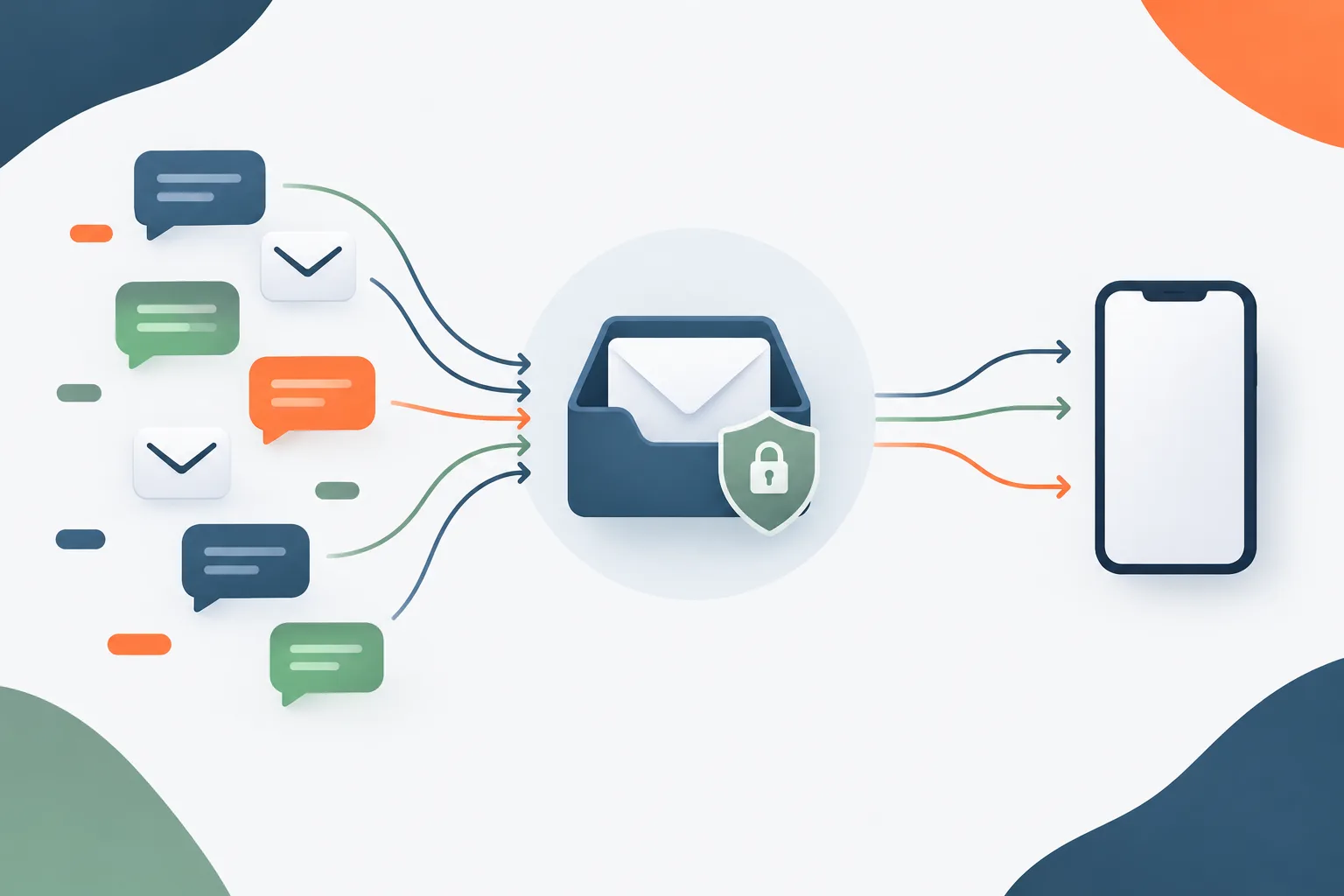
Choose an approved channel and build the workflow
An approved patient messaging system should support the way the clinic actually works. Before selecting or expanding a tool, consider:
- Access controls: Can the practice assign access by role and remove it when it is no longer needed?
- Message oversight: Can authorized staff see whether a message has been received, assigned, or answered?
- Recordkeeping: Can relevant conversations be retained or documented in the appropriate health record?
- Device and account safeguards: Can the practice manage work access without relying on an employee’s personal number or personal messaging account?
- Vendor and configuration review: Has the practice assessed the service, its settings, and any applicable contractual requirements?
- Patient usability: Can patients understand how to start a conversation and what the channel is appropriate for?
Then map who owns the shared inbox during clinic hours, how messages are assigned, and how unanswered items are handed off. Set realistic response expectations and explain that messaging is not for emergencies. Define what staff should do when a message suggests an urgent concern, including the clinic’s escalation process. The SAFER guidance on clinical communication offers a framework for reviewing communication risks and workflows.
Make after-hours instructions visible wherever patients are told to message the clinic. Specify whether messages will be reviewed outside normal operations, when patients can expect a response, and what to do if they need immediate help. Avoid implying that someone is monitoring a channel when that is not part of the clinic’s actual coverage.
Tell staff and patients what to expect
A written healthcare texting policy should cover the approved channels, permitted message types, staff responsibilities, escalation steps, documentation expectations, and after-hours procedures. It should also explain how the practice handles a patient who starts a conversation through a staff member’s personal number.
Give staff a short, consistent response they can use to redirect patients. For example: “For privacy and to make sure your message reaches the care team, please contact the clinic through our approved messaging channel at [clinic contact method]. I can’t discuss patient care through this personal number.” The practice should provide the official contact method for staff to insert; do not ask employees to share their personal numbers as a workaround.
Train staff to avoid continuing patient-specific discussions in a personal thread, even if the patient initiated it. The appropriate response may depend on the situation and the clinic’s procedures. Staff should follow the clinic’s escalation process for urgent concerns and notify the designated person if a sensitive message has already been sent through an unapproved channel.
Protect staff privacy as part of the design. Work-only accounts, a shared clinic number, role-based access, and a clear off-duty handoff can make it easier for employees to stop using personal contact details for work. Review the policy with staff and update it when workflows or systems change. A broader HIPAA compliance plan can help place messaging procedures alongside the practice’s other safeguards.
Document patient-specific communication appropriately
Not every administrative exchange needs to become a clinical note, but a patient-specific message that affects care or prompts a clinical action may need to be reflected in the health record according to the practice’s procedures. Define who is responsible for making that entry and how staff should handle messages that arrive through the approved system.
CMS guidance on texting patient information among healthcare providers addresses a particular clinical communication context. Practices should not assume that a recommendation for one setting answers every question about outpatient patient messaging. Assess the rules and requirements that apply to the organization and its services.
Frequently asked questions
How can a clinic stop staff from texting patients from personal phones?
Set a written rule against patient-related messaging through personal SMS or personal apps, provide an approved alternative, and give staff a ready-to-use redirection message. Make sure patients know the official channel.
Does HIPAA prohibit staff from using personal phones for patient messages?
Do not assume that every use of a personal phone is automatically prohibited or that any particular app is automatically appropriate. Requirements depend on the organization and how the device and communication are used. Have the practice assess its obligations, safeguards, and policies with qualified compliance support.
What should a clinic texting policy include?
Cover approved channels, allowed message types, access and oversight, inbox coverage, urgent-message escalation, after-hours instructions, documentation, staff privacy, and the process for messages sent to personal numbers.
What should staff do if a patient texts their personal number?
Use the clinic’s approved response to redirect the patient, avoid continuing a patient-specific discussion in the personal thread, and follow internal procedures for urgent concerns or information already received.
Should staff document patient texts in the medical record?
Define how the practice handles messages relevant to care or clinical action. The appropriate documentation depends on the message and the clinic’s procedures, so make responsibilities clear rather than leaving the decision to each employee.
Make the boundary operational
Keeping patient messages off personal phones takes a dependable clinic channel, clear coverage, staff training, and a plan for exceptions. Review the workflow with the people who receive and respond to messages, then check that the policy matches the systems in use. Zevonix supports healthcare providers in Daytona Beach and Central Florida with healthcare IT, cybersecurity, and compliance support. Contact Zevonix to discuss a practical communication workflow for your practice.